
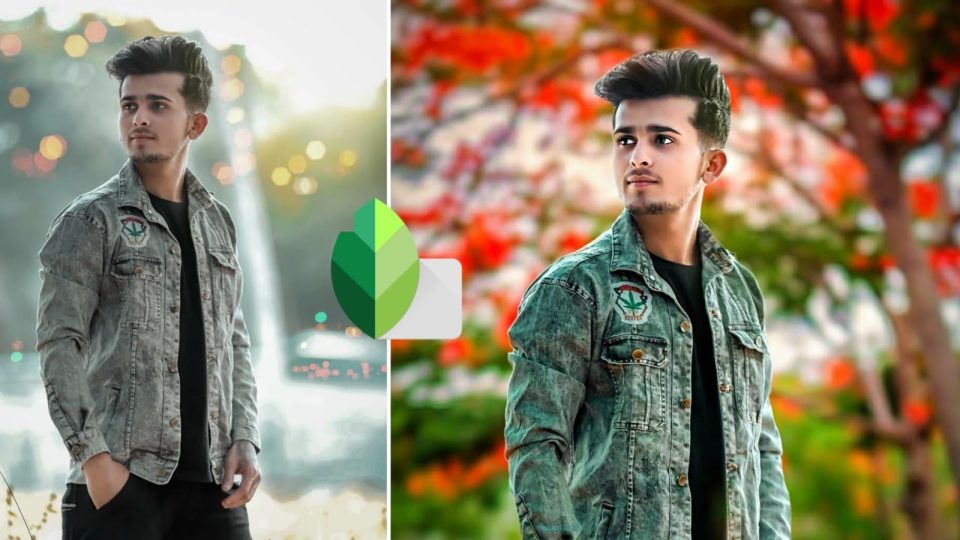
Taking great pictures is important, but not all images end up pleasing to the eye. If you create a photo booth from a gallery of old photos, some images probably do not meet your preferred standards. They could appear blurry, have unnecessary items in them, or the lighting was dull. You do not have to discard such photos; a bit of editing here and there will make your custom photo book look wonderful. Here are some valuable tips on editing pictures:
Select Editing Software
There are many programs for editing pictures depending on your level of skill. VSCO, Snapseed, and Afterlight are popular apps that give users instinctual interfaces for basic level editing. If you are accustomed to only using Instagram filters, delve into the world of photo editing with these apps. Experienced editors can use Adobe Lightroom and Adobe Photoshop for their unlimited capabilities in editing photographs, especially for commercial purposes.
Cropping the Image
After settling for specific editing software, the next step is cropping the photo and straightening it. The image could be tilted or shot from a wide-angle that is not flattering. Cropping helps to improve image symmetry and composition, especially for photographs shot in outdoor settings.
Removing Undesired Elements
Family photos shot at home can have random items interfering with the final look. For instance, a Christmas photoshoot in the living room may include leftovers on the dining table or something unsightly like a pile of trash in the corner. You may also wish to cut out a family member who does not need to be included in the photo book. Adobe Lightroom has a specialized tool called Spot Removal used to eliminate unwanted visual elements from an image.
Adjust White Balance and Exposure
The color temperature from light is an integral element in how the final product appears. You can play around with the color temperature and tint using the automatic white balance features. Check the exposure adjustment feature on any popular app and adjust accordingly. It changes the highlights and shadows of images until you feel satisfied with the final rendering.
Check the Contrast
Contrast can make or break a photograph even when all other elements are set optimally. Increasing contrast makes the photo appear sharper while reducing it makes the image appear faded. If you are unsure how contrast can affect your image, adjust the slider back and forth to see what changes you like. Tonal curves help to adjust brightness in specific parts of your image.
Intensity of Color
Manipulating the amount of color in your image requires adjusting its vibrancy and saturation. Saturation raises the concentration of all colors, while vibrancy raises the intensity of muted tones. It is fall season now, so earthy colors like brown are in fashion. You can change the intensity of color to emphasize the season during which the image was captured or to make the image more captivating.
You can achieve a lot with photo editing software even when you are not proficient with these tools like professional photographers and editors. Curating a photo book will motivate you to learn these core skills so you can produce a masterpiece.
